Category Archives: Software Development

AR Opens up Playability Possibilities

Yesterday, I pointed out that Pokémon Go was a playable workout app, where playable means that the game design ideas are driving the app, as opposed to gamification, where it’s slapped on.

I was thinking more about this and realized how many apps may be turned into games via AR. Again, not with badges, but by making playing the point of the app.

Not just for workout apps, which I think will drive lots of AR games.

But for something really different: consider an app that wanted to help you to eat healthier by guiding you while grocery shopping.

We all know what that app would look like: a list of grocery items, maybe color coded with “healthiness”. You tap tap tap when you buy eggplant, spinach, and blueberries (“You got an anti-oxidant badge!”). You lose points when you scan that box of mini-donuts.

The AR version has zombies in the cookie aisle.

Interestingly, the produce section seems to have no zombies—better scavenge there. Cookie boxes emit a piercing sound when they are in your cart, drawing the dead towards you. Leave them behind to draw them away.

An art appreciation app could help me get more out of a museum by telling me a little about what I might see and then making a ad-hoc quiz show as I take in the art. Or putting me in a pub quiz later based on what I looked at.

AR could turn a tour guide app into a spy hunt game. Follow that lady in the black trench coat and see what she’s up to—she’s boarding the boat to the Statue of Liberty! It’s practically the plot of North by Northwest.

These would be games, which are fun, not gamification.

Pokémon Go is Playable, Apple Workouts is Gamified

Let’s say you are trying to develop an app where the goal is to get the user to walk more outside.

Pokémon Go does this by building an AR world where it is fun to go outside and find pokémon, and then it makes you walk in order to hatch them. It makes you go to new destinations to progress in the game. Walking is a byproduct that is not particularly rewarded outside of the game goals you achieve. For example, you aren’t given a badge just for walking a lot.

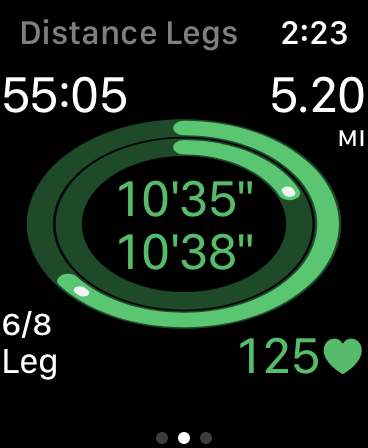
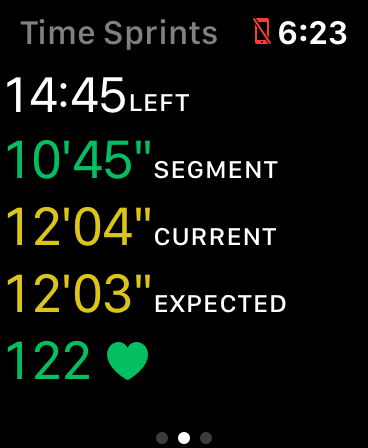
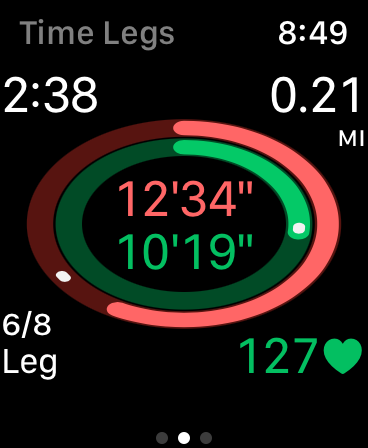
In Apple Workouts, I walk if I want to. I can tell the app or not. It tries to encourage me with alerts and badges (and filling my rings). It’s using positive reinforcement and the elements of games, but walking is not a game. They have layered on points, levels, badges, and competition.

This is what I mean about the difference between playability and gamification. I don’t think that Pokémon Go was actually trying to make a workout app. The walking mechanic is just what is available to an AR game—it’s the equivalent to the walking/running you have to do in any side-scroller.

Like Pokémon Go, the playable version of a thing is unlikely to resemble that thing at all. The gamified version is recognizable for what it is.

Icon-first Development

I’m currently working on an app to help me with intermittent fasting. I developed it icon-first.

My apps mostly exist to drive my own learning. Right now, I am trying to learn SwiftUI and visual design.

To do the latter, I’ve been reading Designing Visual Interfaces, which came highly recommended from Amy Hoy. The first chapter teaches techniques for simplification, and so I decided to not think about the UI at all at first, but to find some kind of unifying metaphor by trying to design an icon that meant “intermittent fasting” to me.

In intermittent fasting, you try to eat in a defined time window each day, commonly eight hours (so, fasting sixteen hours). Many people just pick a time window and use it every day (e.g. 10-6), but that doesn’t work for me—I want to decide each day what woks best for my schedule.

So, with that vague idea, I started sketching

To get loose, I just drew a circle. Then, a pie chart that showed the feeding window as a third of the whole. Then, I tried a ring. Eventually, I just had a vertical stripe, then a horizontal one. I realized the essence was “thirds”—8 is a one-third of 24. I also had the idea that I could hide an “F” in the design (for Fast-o-Mat, the name of the app). I don’t like icons that have a word or letter in them, but a hidden letter in the design is fine with me.

At this point, I thought I could go into Pixelmator and refine. There have been many iterations. This one imagines showing seven days of history in a vertical stack.

I really like how the “F” is hidden in this one. The problem was that when I went to make this UI, I didn’t like using it. Seven days is way too cumbersome when you mostly just want to deal with today (and maybe yesterday and tomorrow).

Also, a phone is tall and narrow, so this design overemphasizes the week over the day when you render it in portrait. It’s hard to edit the today-bar, because it’s too narrow.

So, I worked on my UI and eventually settled on only showing three days (yesterday, today, and tomorrow). I went back to the icon and made this:

This does not have as recognizable an “F” in it, but that’s not the priority, so I am ok with that. Each vertical bar is a day and its position shows the part of the day you are feeding. The Today bar is bigger than the other days, because that’s the most important. On a phone, this whole things is stretched vertically, so there’s plenty of tap space on the parts of the bar you might need to interact with.

I am still working on refining the UI. I’ll follow-up when that is closer with thoughts on how that evolved.

Working through the icon helped me focus on simplicity. Designing Visual Interfaces talks about designs being instantly recognizable and impossible to use incorrectly. A lot of this comes from reducing the number of elements.

The second chapter is about visual perception, using things like contrast and size to allow the user to group elements into layers and order them.

Using the constraint of designing an icon first helped me focus on those aspects of design.

New Article in the Swift Companion: Methods

Yesterday, I wrote that books should get you to write code, not just read it. I’ve been working on a companion to Apple’s Swift Programming Language book that helps you do that by offering exercises for each chapter.

I just published the companion to the Methods chapter on App-o-Mat. If you want to start from the beginning, go to the outline of Section 1. If you understand the content of the corresponding chapter, the exercises are meant to be very easy. If you are having trouble with them, it would be a good idea to review the chapter again before moving on.

Learn Programming by Writing Programs

Most programming books and tutorials show you code and explain it. What they should be doing is describing code they want you to write.

Here are some examples:

  • Project Euler presents one numerical programming problem at a time. You must provide the correct answer (a number) before you can see the next one.
  • Apple’s Swift playground books on iPad also make you write code. Your programs move a robot around a board, and it knows if you achieved the goal they specified.
  • The Unwrap app by Paul Hudson. It combines video and written lessons with challenges of various types including writing Swift code. Each lesson is very small.
  • freeCodeCamp breaks down learning web development into tiny coding challenges that are auto-checked by the site.
  • Cryptopals teaches you how to write cryptography and code that attacks it with lessons you check against the expected output.

The big advantage of this style is each level can be very focussed on using just one new skill. In this talk by Kathy Sierra (and in her book Badass) she covers the research behind skill acquisition. One big idea is that you need to break skills down into tiny sub-skills. The reason is so you can master part of a skill, rather than half-master a full skill, which is hard to improve later.

She also says that learners need feedback, which these systems do by verifying your work automatically (or by having an expected output you can check).

In contrast, most programming tutorials are quite long and don’t make you create your own programs (so can’t really provide feedback).

If all you do is read or type in the code in the tutorial, you aren’t practicing a core skill of programming, which is to write code on your own to match a specification.

App-o-Mat updates

I started App-o-Mat as an iOS tutorial site back when I was consulting. It mostly had cordova screencasts.  I’m going to be doing more writing about iOS there (native and possibly cordova-based).

You can subscribe to the mailing list there if you want to get updates. If you have requests for topics to write about, let me know.

Here are the latest posts:

How do I pass values from a VC back to the VC that presented it?

Ok, so you have a view controller that brings up another view controller. Let’s call the first one FirstVC and the second one SecondVC. FirstVC either presents SecondVC or there is some segue that it uses to bring it up.

How do you keep Storyboards from causing merge problems later?

There’s this myth in the iOS community that “professional” iOS developers never use Interface Builder. It’s meant to imply that coding your interfaces is always better, and if you don’t do it, you are somehow less of a programmer. The myth perpetuates the idea that IB is a crutch, a toy, something that only newbies use.

I call BS.

How do you pass values to a VC in a segue?

A theme I see a lot on StackOverflow is a developer makes a View Controller that collects some information from a user and wants to use it on a VC that they bring up in a segue.


GamePlayKit Rule Systems on Smashing

I wrote a 2-part series on GamePlayKit’s Rule Systems framework for Smashing Magazine.

Part 1 is the basic idea and shows how to replace conditional logic that might be strewn around a project into a GamePlayKit rule-system.

In Part 2, I show the support for fuzzy logic rule-systems (logic values ranging from 0.0 to 1.0 instead of strictly true and false). It covers a little more of the features of rule-systems and how to implement NOT, OR, and AND for fuzzy values.

Both articles are supported by Swift Playgrounds in GitHub so that you can play with the concept and try different rules.

Swift Playground Books: 2-Sep-2016

I imagine a lot of the information here is going to go out of date fast, but if you are looking at playground books today, here is where to start.

  1. The WWDC 2016 talk, Introducing Swift Playgrounds, has a lot of technical detail about the .playgroundbook format and how the LiveView proxying works.
  2. The demo for that talk is available on Apple’s dev site, but it’s out of date. I’ve been updating it for each iOS 10 Beta (to track Swift 3). Go to my GitHub to get the fixed Talking to the Live View sample.
  3. The documentation for the .playgroundbook format can be found on the Apple Developer site.
  4. Erica Sadun, who has written the book on Xcode playgrounds did some early investigations of iOS Swift Playgrounds. You might want to read them — here is Part I, Part II, Part III, Part IV,  and Part V.
  5. Ash Furrow made a playground book linter and authoring tool (source). You can use the linter on any .playgroundbook (however you make it), and the authoring tool allows you to specify the parts of the book in a .yaml file, and it puts each piece in the correct file and folder for you in the .playgroundbook package.

Habits 3.0

Back in 2008, I learned Objective-C to make my first “iPhone OS” app, Habits. When it was released, Habits looked like this:

habits-screen

This weekend I finally finished v3.0 and made it free.

As this is a developer site, the more interesting thing to note is that Habits was originally made in the first iPhone supporting version of Xcode (with external Interface Builder) and I have been migrating the project file from version to version since then (using 7.3.1 to make the current build).

Some things that were introduced into Habits for this version:

  1. Swift – all new classes were made in Swift and many existing ones were refactored into Swift
  2. Accessibility – Since NSSpain 2015, I’ve been running my iPhone with triple-Home to get into VoiceOver (suggested by Hermes Pique in this talk). Doing that made me realize (1) what it was like to use Habits without looking at it (2) how easy it was to make it work properly.
  3. fastlane – specifically “deliver” to manage the iTunes record and “frameit” for fancy screenshots
  4. Carthage – there had never been 3rd party libraries in Habits, but I decided that one was worth it this time.
  5. TOCropViewController – A simple framework that does one thing very well – provide a View Controller for cropping images. I use this instead of the built-in iOS one because it supports locked aspect-ratios.

Enjoy!